- Home
- About Us
- Approach
- Beautiful Work
- Parent Information
- Pupil Voice

- Home
- About Us
- Approach
- Beautiful Work
- Parent Information
- Pupil Voice
This half term the children have explored "Scratch Jr". They have began making their own programmes and animating their own characters.
The children have explored Scratch Jr independently, they have loved creating their own backgrounds, characters and algorithms. They have followed simple instructions and have developed excellent skills.
They started with simple 3 step programmes and quickly developed these into more complex programmes. They quickly learnt how to simplify their programmes using fewer blocks but still getting the same results.
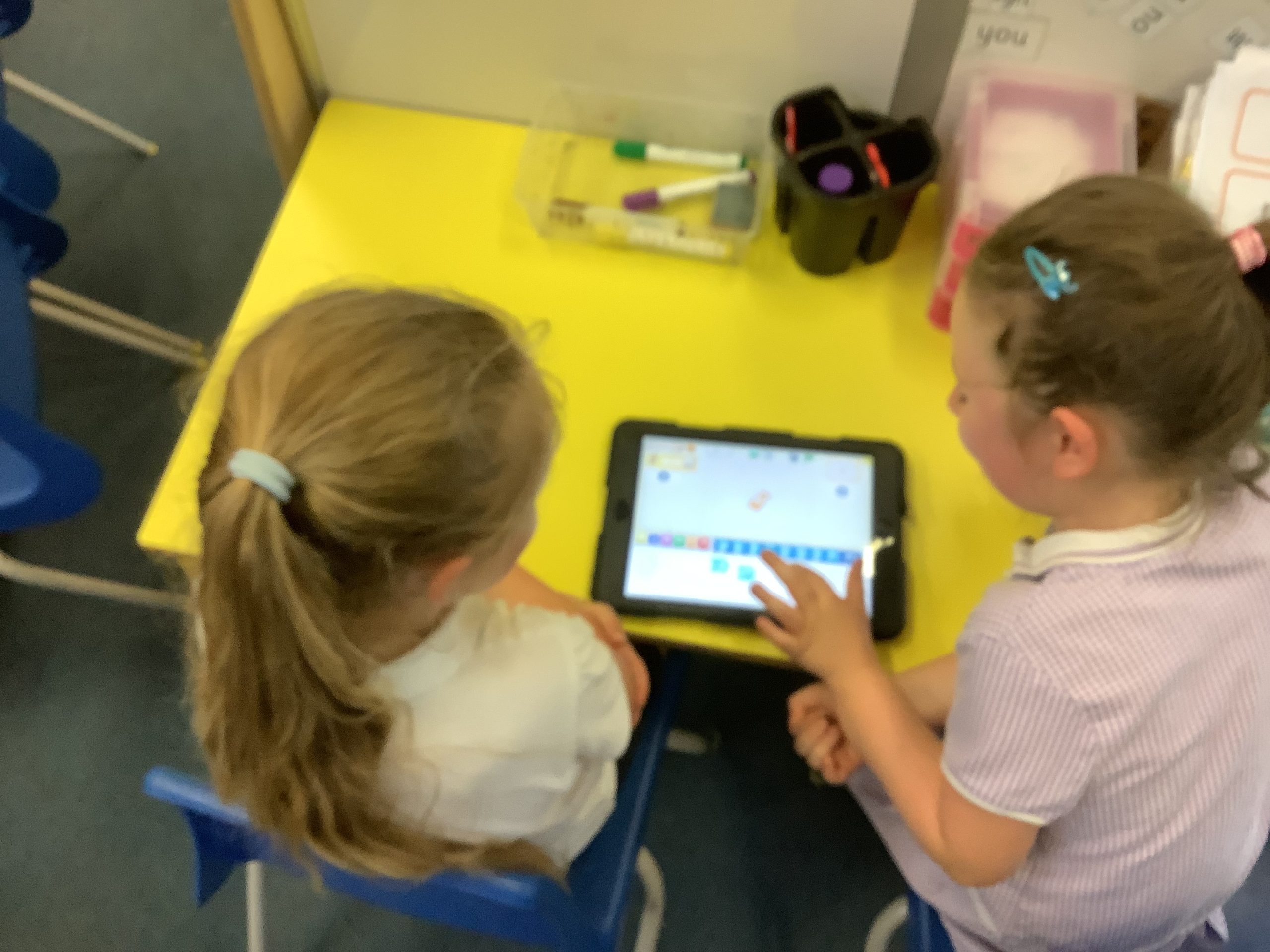
"Are we going on Scratch again this week? I love getting the cat to do funny things" 1LS pupil. "I asked my mum to download Scratch Jr on my iPad at home so I could practise their too." 1LS pupil. "It's really easy to do these programmes. I love learning how to make my character do new tricks" 1LS pupil
I have loved watching the children develop their knowledge and understanding of technology during this unit. It has been a pleasure to watch the children explore the app independently and continue to develop their skills in their own time. The children have been really keen to develop their programming skills and have demonstrated a huge level of resilience throughout this topic. The children have shared their knowledge with each other, each of them becoming mini-teachers during several lessons. - Miss Sunderland, 1LS Class Teacher.
Year 6 - Webpage Creation
Project Overview
To start the unit, the children first looked at what a website was. We discussed the different websites we use in day to day life, which ones are easy to navigate and which ones are slightly trickier. The children then looked at different purposes of website and the information we would expect to see on them such as a school website or a gaming website. Once we had looked at and identified useful features we then went on to design our own. The topic was linked to our geography topic "The UK". The children had to plan what their website would look like, research their own information and then set it out appropriately using the correct format. The children worked over many weeks on their projects making sure the graphics were well thought out, it was easy to navigate and it was informative enough to meet the success criteria.
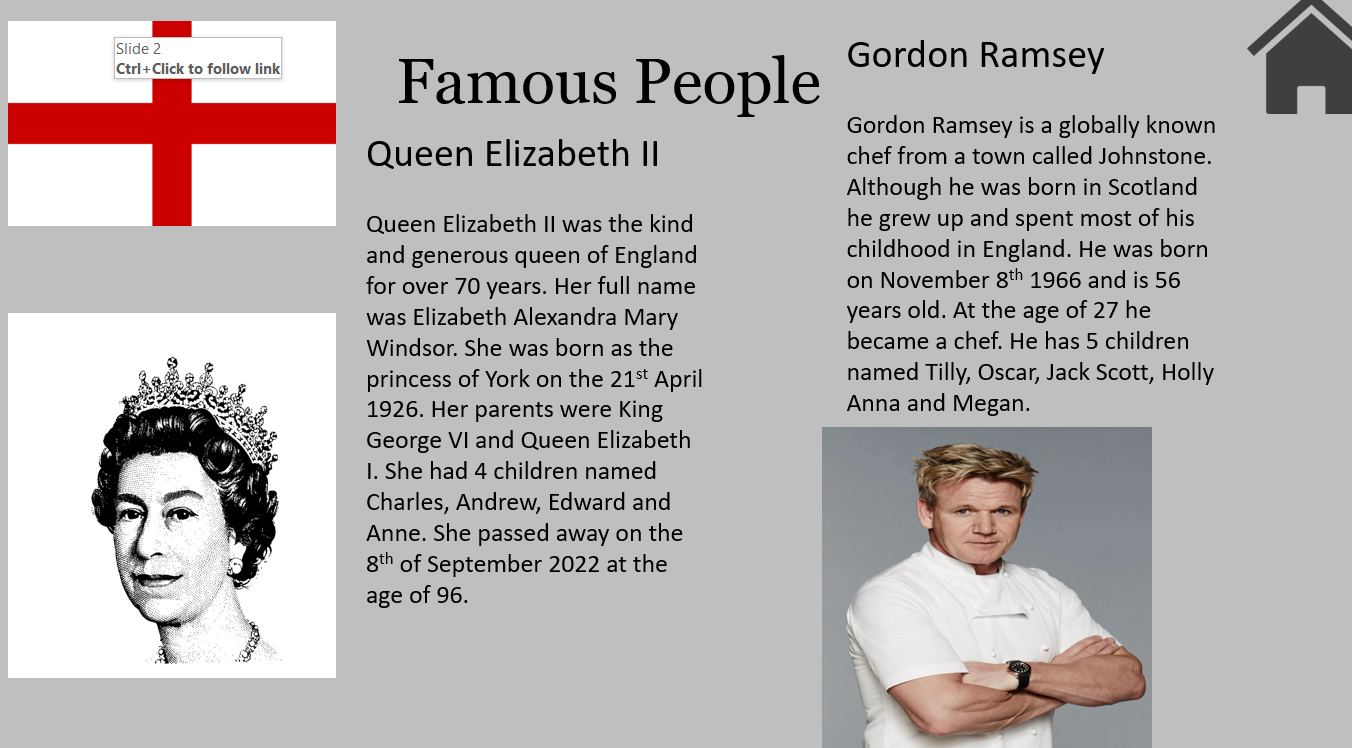
"It was fun to learn a new skill. I didn't know how to link pages before but now I do." "I learnt how to do add videos and music to my webpage. It made the webpage more exciting." "I loved making my own web page about something I was interested in. It was good to have a success criteria to follow so I knew I was making a website that was easy to use."
The children have worked extremely hard on their webpages. They were so independent and wanted to create some informative pages. The children went above and beyond and managed to include features that they hadn't even been shown. All children thought carefully about how their page should look and the logistics behind it. They should all be proud of how professional their webpages look.
Miss Brennan & Miss Holmes - Year 6 teachers
Year 4 - Photo editing
Throughout this topic the children developed their understanding of how digital images can be changed and edited, and how they can then be resaved and reused. They will considered impact that editing images can have, and evaluated the effectiveness of their choices. The children used a photo editing app and got to grips with the different tools that were available. Over the course of the half term, the children's confidence grew weekly. The children were building on their skills each time and were creating extremely impressive pictures. They used "unplugged" activities to understand the process in real life context and then applied their understanding online.

"I loved merging pictures together to create mythical creatures and fun pictures." "It is really important to know when you should and shouldn't edit photos." "It was really tricky sometimes because you had to be careful when cutting out some of the pictures."
"The children have impressed me so much with some of the work they have produced this half term. They fully understood the importance of when it is and isn't appropriate to edit photos. The children used their knowledge and applied it to a variety of different tasks. Each week children were faced with tricky problems and overcame them independently each time. It is great to see the children improving their computing skills each half term."
Miss Brennan - Year 4 teacher.
This term we have been working on making music using Chrome Music Lab.
The children explored how music made them feel by listening to Gustav Holst’s The Planets and describing the pitch, tempo and dynamics of various pieces.
They then moved on to creating patterns and using those patterns as rhythms. They used untuned percussion instruments on the computers to hear the different rhythm patterns that they created and they clapped out those rhythms at the same time.
Building on this, their next task was to experiment with the pitch and duration of notes to create their own piece of music, which they then associated with familiar sounds.
A final challenge was to create a piece of music using only 3 notes and to explore pitch and tempo.
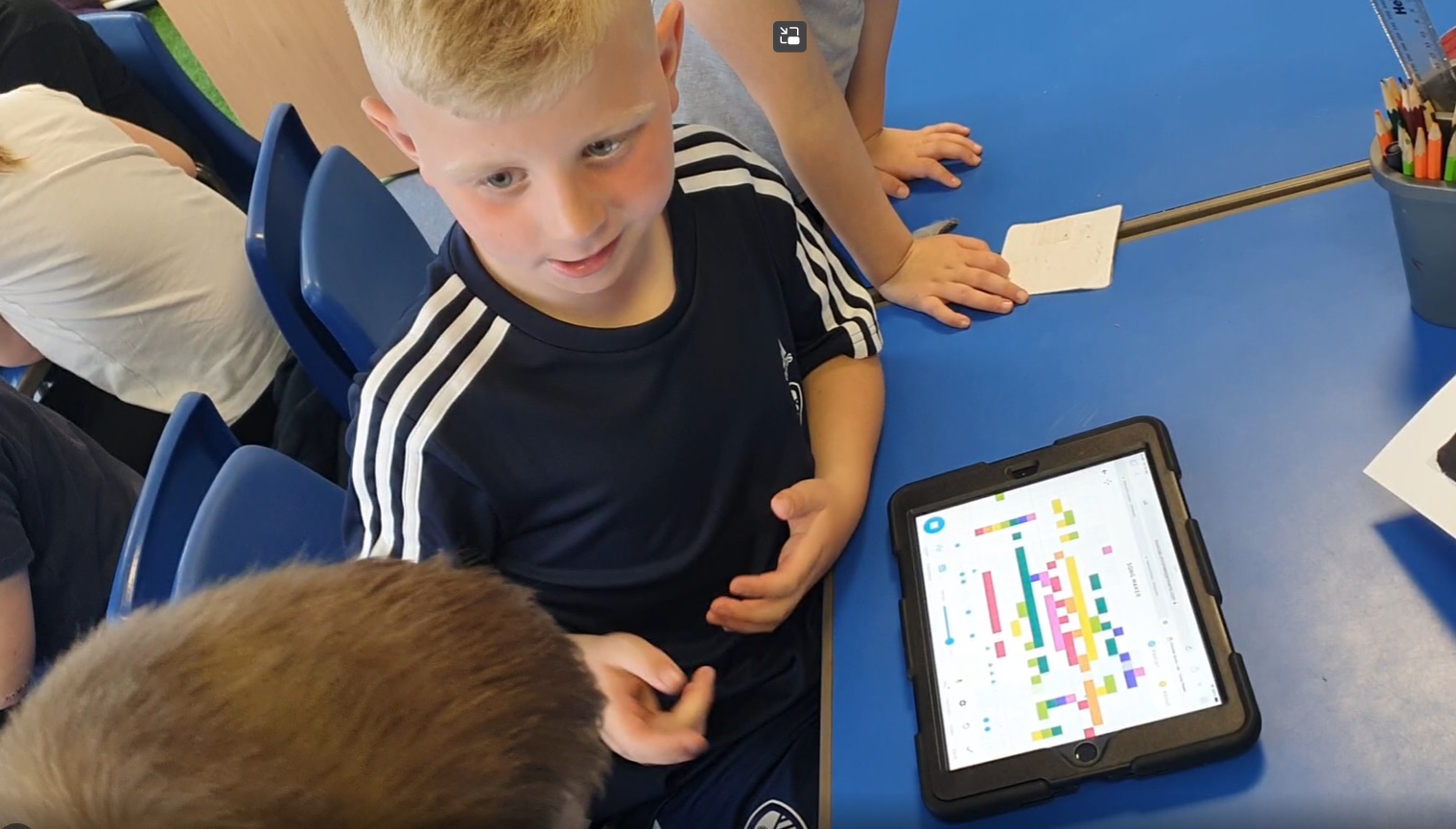
"It made me feel tired because it was very low." "The tempo was slow, then fast." "The pitch goes high, then low." “It sounds like tip-toes!” “My sound is a jungle!” “Ours is a giraffe!”
“This was a lovely computing unit to teach – combining digital content and music. The children are increasingly adept at logging onto the computers and ipads and finding the right programmes. Their descriptions of their emotions were brilliant and their subsequent pieces of music were a delight to listen to. They were able to evoke the same feelings in others by experimenting with tempo and pitch. The children loved sharing their completed compositions – many of us couldn’t help but move to the rhythms and sounds!” Mrs Stirk and Mrs Jones
This term we have been working on digital photography.
The children have enjoyed learning about how to take a photograph and what makes a good photograph. They have explored how best to capture the subject of a photograph by taking pictures in landscape and portrait form and experimenting with the position of the subject.
They have learned how to take photographs of people and buildings as well as close-up shots and selfies! They have looked at their photos and retaken them to make improvements.
During the process of reviewing their photographs, the children have used technical language and they have come up with some insightful comments.
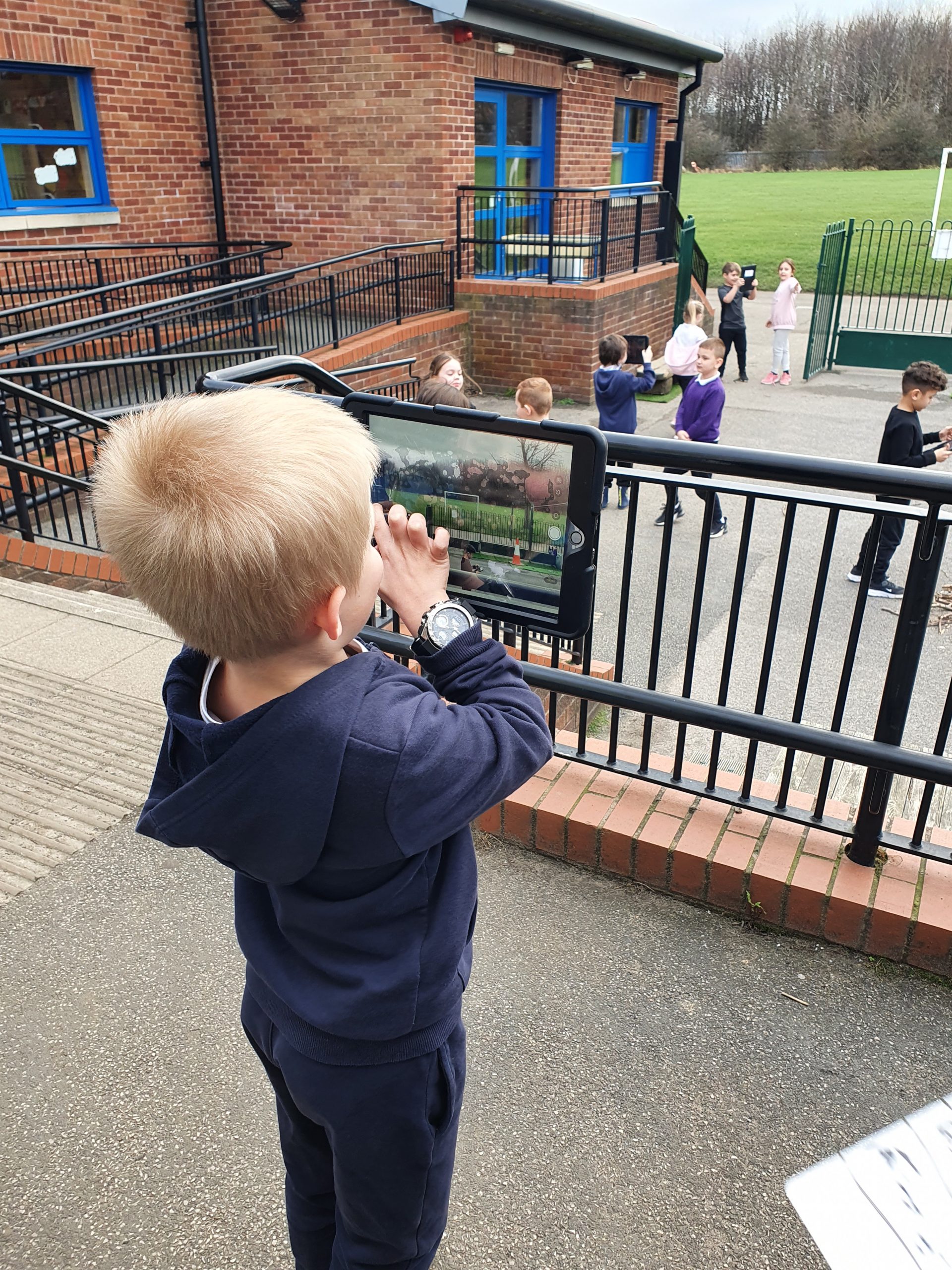
"Yes! We're taking photos today!" - Year 2 pupil "The portrait picture was best for my friend." - Year 2 pupil "Landscape is turned on its side, portrait is upwards." - Year 2 pupil The display in the classroom is better taken as landscape photo." - Year 2 pupil.
“The children have loved learning about digital photography and the bonus of this unit was that much of the work was done outdoors. You could clearly see how the children’s learning was progressing through the images they captured. There were some very thoughtful discussions about the improvements that need to be made before they retook their photographs.” - Mrs Stirk, 2SM Class Teacher.
Branching Databases
As a school we follow the scheme Purple Mash for computing. This half term, children have been learning about different types of data and how data is stored. We began this topic by recapping how to use the internet safely and what it means when data is confidential. Children have learned that data is information that comes in many different forms, from images and text to numbers and graphs. We have focused specifically on branching databases, and how they can be used to classify information in order to make it more easily accessible - particularly by using simple 'yes or no' questions. The children thoroughly enjoyed creating their own sorting games and branching databases on a topic of their choice.

''I love having laptops in school, because it is fun. I like Purple Mash and playing games. '' - 3EC child ''It was fun making our own data branch quiz. I enjoyed creating my own questions and changing the pictures.''- 3EC child ''It was fun playing a group game of 'yes or no'. I knew it was an apple that Miss Naughton was thinking of. ''- 3EC child
"I thoroughly enjoyed teaching this module and to see how excited children were to create their own games and branching databases. The practical element of sorting and classifying different fruits and vegetables at the beginning of the module really engaged children and made them eager to learn about data and databases. The children are now confident in their abilities to use computers safely and responsibly and also understand that data can be sorted in different ways and on different devices." Miss Naughton, 3EC Trainee Teacher
Clapgate Primary School
Cranmore Drive
Belle Isle
Leeds
LS10 4AW
Headteacher: Miss Taylor
Deputy Headteacher: Mrs Falkingham
SENDCO: Miss Dent
Office: Miss Miller,
Mrs Johnson,
Miss Belt and Miss Stamp
Chair of Governors: Mr Bache

Tel: 0113 271 6700
Email: clapgate@clapgateprimaryschool.org



This website uses cookies, or tiny pieces of information stored on your computer, to verify who you are when you are logged in to the administration area.
We use the following types of cookies:
| Provider | Cookie name | Purpose | Further information |
|---|---|---|---|
| Website | ir_test | This tests whether the device is suppressing cookies | |
| Website | cke | This cookie is used to remember whether you wish to view the cookie notice or not. | |
| Google Analytics | _ga _gat_gat_oxRollUpTracker_gat_UA-***** | These cookies are used to collect information about how visitors use our site. We use the information to compile reports and to help us improve the website. The cookies collect information in an anonymous form, including the number of visitors to the website, where visitors have come to the site from and the pages they visited. | Overview of Google Analytics privacy |
Cookies are used by WooCommerce in a variety of ways.
Cookies depend on specific features that are enabled on a store. The cookies are active when a user interacts with one of these features or to allow admin functions to be performed from within the store’s dashboard (/wp-admin).
Details are provided in tables below, listing various cookies that are set for users of stores with the WooCommerce plugin installed.
| COOKIE NAME | DURATION | PURPOSE |
|---|---|---|
woocommerce_cart_hash | session | Helps WooCommerce determine when cart contents/data changes. |
woocommerce_items_in_cart | session | Helps WooCommerce determine when cart contents/data changes. |
wp_woocommerce_session_ | 2 days | Contains a unique code for each customer so that it knows where to find the cart data in the database for each customer. |
woocommerce_recently_viewed | session | Powers the Recent Viewed Products widget. |
store_notice[notice id] | session | Allows customers to dismiss the Store Notice. |
No personal information is stored within these cookies.
/wp-admin):| COOKIE NAME | DURATION | PURPOSE |
|---|---|---|
woocommerce_snooze_suggestions__[suggestion] | 2 days | Allows dashboard users to dismiss Marketplace suggestions, if enabled. |
woocommerce_dismissed_suggestions__[context] | 1 month | Count of suggestion dismissals, if enabled. |
tk_ai | session | Stores a randomly-generated anonymous ID. This is only used within the dashboard (/wp-admin) area and is used for usage tracking, if enabled. |
What it does: This cookie is used by the Wordfence firewall to perform a capability check of the current user before WordPress has been loaded.
Who gets this cookie: This is only set for users that are able to log into WordPress.
How this cookie helps: This cookie allows the Wordfence firewall to detect logged in users and allow them increased access. It also allows Wordfence to detect non-logged in users and restrict their access to secure areas. The cookie also lets the firewall know what level of access a visitor has to help the firewall make smart decisions about who to allow and who to block.
What it does: This cookie is used to notify the Wordfence admin when an administrator logs in from a new device or location.
Who gets this cookie: This is only set for administrators.
How this cookie helps: This cookie helps site owners know whether there has been an admin login from a new device or location.
What it does: Wordfence offers a feature for a site visitor to bypass country blocking by accessing a hidden URL. This cookie helps track who should be allowed to bypass country blocking.
Who gets this cookie: When a hidden URL defined by the site admin is visited, this cookie is set to verify the user can access the site from a country restricted through country blocking. This will be set for anyone who knows the URL that allows bypass of standard country blocking. This cookie is not set for anyone who does not know the hidden URL to bypass country blocking.
How this cookie helps: This cookie gives site owners a way to allow certain users from blocked countries, even though their country has been blocked.
To enrich our website content, sometimes we may embed video content from other social media websites such as YouTube or Facebook. As a result, when you visit a page with content embedded, you may be presented with cookies from these websites. This website has no control or liability over these cookies set, so you should check the relevant third party’s cookie policy for more information.
We also offer a ‘share page’ widget on some of our web pages, where content can be shared easily on the following sites – Facebook, Twitter, MySpace, Delicious and Digg. These sites may set a cookie when you are logged into their service. This website has no control or liability over these cookies set, so you should check the relevant third party’s cookie policy for more information.
Some links and resources are provided below to assist your understanding of the types of cookies you may encounter.
| Provider | Cookie name | Purpose | Further information |
|---|---|---|---|
| Google maps | NID PREF khcookie | These cookies are used by Google to track how many people are using their maps | Overview of Google privacy |
| YouTube | use_hitbox VISITOR_INFO1_LIVE | YouTube may still set cookies on the user’s computer once the visitor clicks on the YouTube video player, but YouTube will not store personally-identifiable cookie information for playbacks of embedded videos using the privacy-enhanced mode. | Google Technology |
| lang pidmetrics_token | We have the Twitter Share widget in place on the site which makes use of cookies. May include targeted advertising cookies. | Twitter Privacy Policy Twitter Articles | |
| PREF NID | Cookies related to Google. May include targeted advertising cookies used on our social media hub. | Google Cookies Google Types | |
| _bizo_bzid _bizo_cksm _bizo_np_stats | Targeted advertising cookies from LinkedIn. | LinkedIn Cookie Policies | |
| CloudFlare | _cfduid | Identifies a single machine as safe to connect behind a shared IP so challenges do not have to be reissued. | Cloudflare Cookie Policy |
This website will not use cookies to collect personally identifiable information about you. However, should you choose to disable, reject or block our cookies, some parts of our website will not function fully, or in some cases, our website will not be accessible at all.
Most web browsers allow some control of most cookies through the browser settings. To find out more about cookies, including how to see what cookies have been set and how to manage and delete them please visit http://www.allaboutcookies.org/.
For detailed information on the use of cookies within the WordPress ecosystem please visit https://codex.wordpress.org/WordPress_Cookies
Any changes we may make to our Cookie Statement in the future will be posted on this page.
Last Updated: 12/02/21
We regard your privacy as important and any personal information you give to us will be used in accordance with the Data Protection Act and the General Data Protection Regulations.
We do not store personal information about individuals who visit this site except where they provide contact information via our contact us page and contact forms available on various pages throughout the website.
Any information you provide will only be used for the reasons specified and it will not be shared with any third party without your consent, unless required by law.
Your contact details are kept securely and are only accessed by authorised members of staff as part of the provision of school services. If you do not wish us to keep this contact information please tell us.
This website uses Google Analytics which provides statistical data about the usage of the site. This information is not used to identify individuals, but is collected to provide us with an understanding of the areas of interest on our site and how our site is being used.
If you are connected to the internet you will have an IP Address. This may take the form of a figure, such as 333.333.22.1. The address will be automatically collected and logged as part of the connection of your computer to our web server and may be used to determine the total number of visits to each part of the site. This data is not collected and used for other purposes.
This website contains links to other websites. The School is not responsible for the privacy practices of other sites or organisations and recommends you consult the privacy information on those sites.
This policy will be reviewed and updated versions will be posted on the website.
If you have any questions about the use of your personal information, the Information Commissioner is the independent regulator for both Data Protection and Freedom of Information.